
Geofenced clock-in
Set your shop location and a radius, for example 150 m. A kiosk clock-in from outside it is refused, and a weak GPS reading gets limited slack, never a free pass.
Time clock and payroll prep
Your crew clocks in from their own phones or a shared tablet, inside a geofence you set. The kiosk speaks Spanish or English. Payroll exports are ready when the week closes.
Built by Proto Node Labs.

Set your shop location and a radius, for example 150 m. A kiosk clock-in from outside it is refused, and a weak GPS reading gets limited slack, never a free pass.
The kiosk matches each phone's language, Spanish or English, or you set it to one language or both. It runs on a shared tablet or on each worker's own phone.
Weekly overtime at the threshold you choose, plus tips. Download payroll as CSV or PDF, every raw punch as CSV, or a full backup of your data.
The kiosk
Your crew opens the kiosk link or scans its QR code. It works on any phone with a browser, or on one tablet by the door.
1
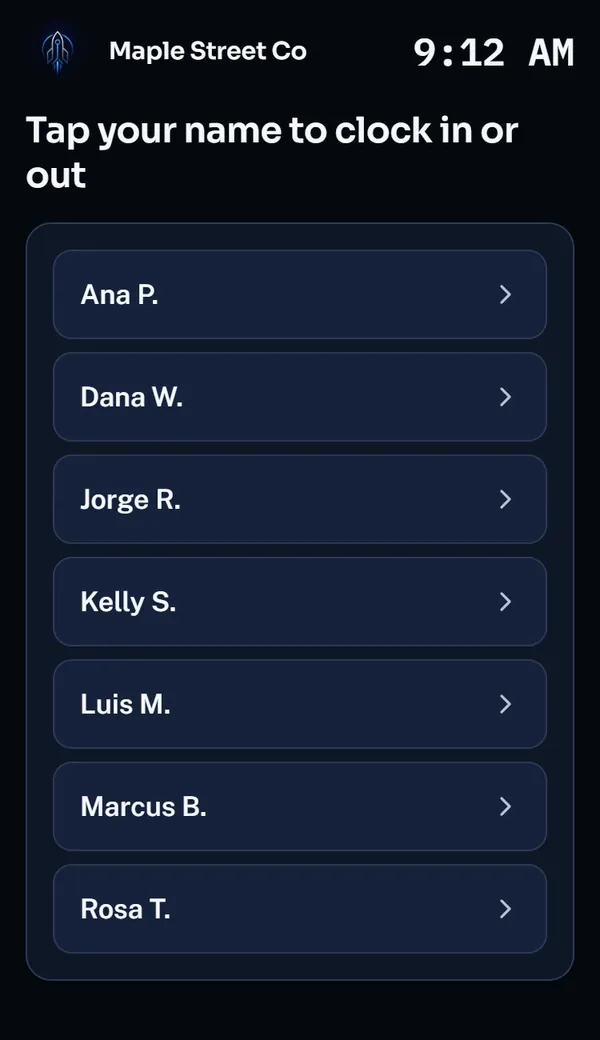
Everyone on the crew is one tap away.
2
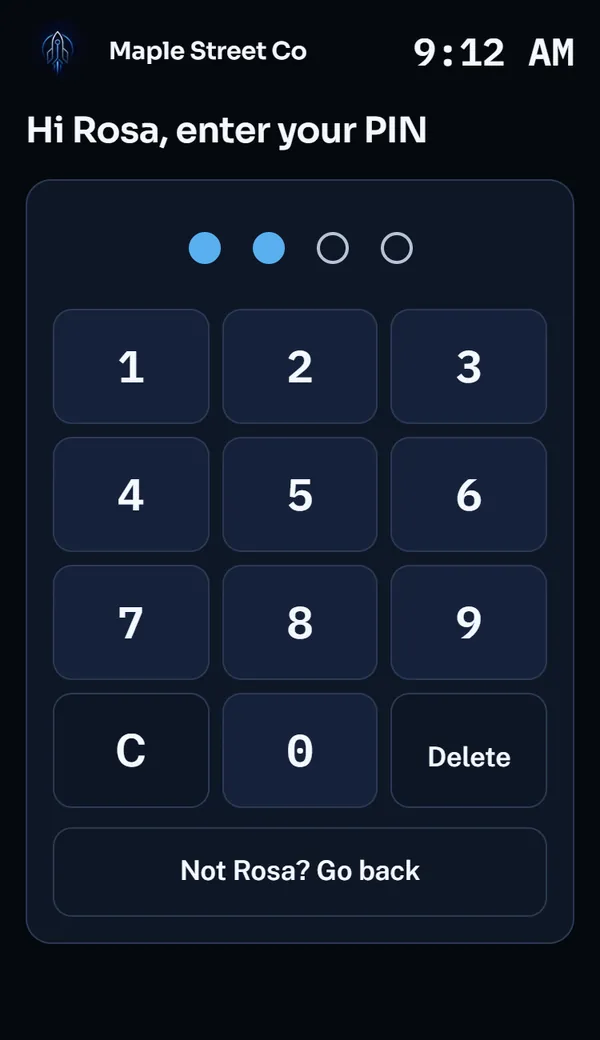
Large keys for a quick tap. Too many wrong tries locks that PIN for a while.
3
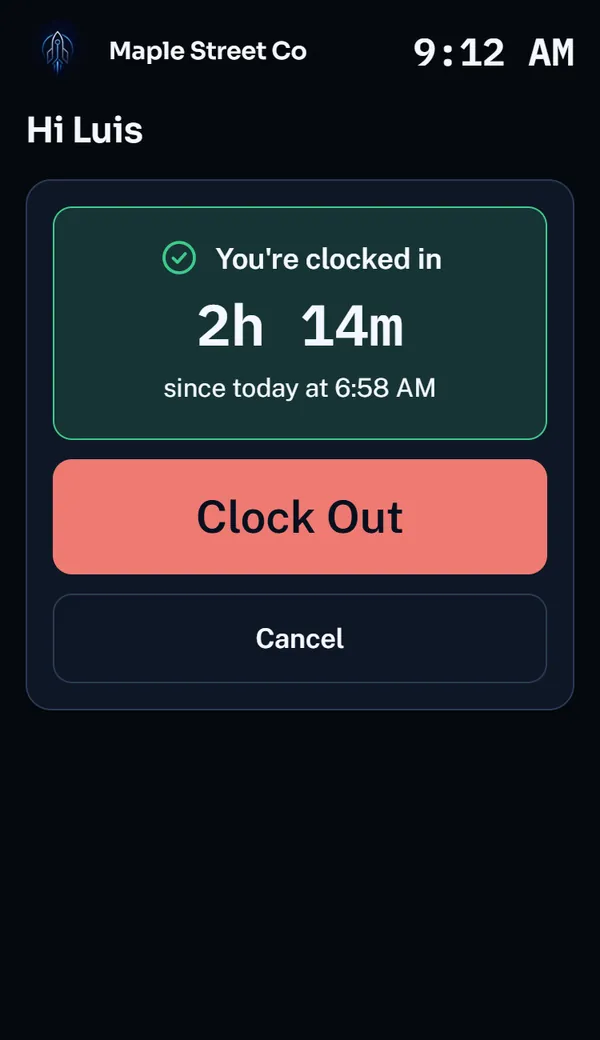
The kiosk shows whether you are on the clock and for how long, then one big button.
For owners
See who clocked in, when, how long they have been on, and whether they clocked in on site.

Every punch by day with hours, overtime and location. Add a missed punch, or approve an edit your crew requests.
Screens show a demo business.
Pricing
We are setting prices now. Tell us about your team and we will reply by email.
Every plan includes
Questions
No. The kiosk runs on a shared tablet at the shop or on each worker's own phone. Both open the same link, and nobody installs an app.
It uses the phone's GPS reading against the radius you set. A reading with poor accuracy gets a capped allowance, so a bad signal cannot clock someone in from far away. If the phone has no usable location, the kiosk asks the worker to turn location on and try again.
The kiosk does. It follows each phone's language, Spanish or English, or you set it to Spanish, English or both. The owner screens are in English.
Payroll for any period as CSV or PDF, every raw punch as CSV, and a full backup of your business data from Settings.
You do. Download a full backup whenever you want it. Passwords and PINs are left out of the file.
Get started
Send a few details and we will reply by email. Or write to contact@protonodelabs.com.
Have an invite code? Create your account.